
Accessibility is my absolute passion as Assistive Devices and Adaptation fall under this topic and it is a topic that can be applied to so many areas of our lives! AND, Accessibility isn’t something that just affects some of us – it affects every single one of us!
Accessibility refers to the design of products, devices, services, or environments so as to be usable by all individuals; including individuals with disabilities.
Shawn Lawton Henry, 2014
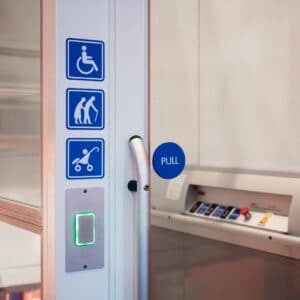
That Automatic Door at the entrance of your local mall isn’t only for a Wheelchair-bound individual. It’s also for the mom with her kids, trolley, pram and hundreds of bags! It’s for germ prevention in a pandemic! It is ultimately for convenience. The captions on a video are not just for individuals who are deaf or hard of hearing. It’s also for the mom watching a video whilst her baby sleeps next to her. It allows the individual taking public transport to watch a video without disturbing the person next to them who is reading. Just remember, Accessibility and inclusive solutions benefit us ALL, however it has more of an impact on people with disabilities!
When we talk about Accessibility, we are not just talking about the typical “wheelchair accessibility” that we hear about so often! It’s about Accessibility for ALL; those with visual impairments (poor eyesight, blindness, colour blindness), those with auditory impairments (partial or complete loss of hearing), those with motor/ mobility difficulties, those with cognitive impairments or psychiatric conditions, those with neurological conditions (Epilepsy, Tourette’s), those with “invisible illnesses” (chronic pain, diabetes, chronic fatigue etc.), and the elderly to mention a few.
So what exactly needs to be Accessible? – EVERYTHING!
Physical spaces (accessible for those with motor or mobility difficulties, no flickering lights which could trigger seizures, fire exits to accommodate all disabilities, symbols on signs for those who are illiterate or those with cognitive impairments, signs with raised letters or Braille placed at heights that can be easily reached for individuals with visual impairments, important announcements in public spaces should be both verbal and visual, so that they can be heard or seen by those with visual and auditory difficulties etc.).
The Internet (text to speech options, alt text on content enhancing images for those who have visual impairments, video captions for individuals with auditory impairments, legible and high-contrast text for individuals with visual impairments etc.).
Equality is Accessibility.
If you don’t have accessibility, you don’t have equality. We all deserve to have equal opportunities, whether it be in the work place, in public spaces or on the web. By making Accessibility common practice, you are actively playing a role in increasing awareness, and making inclusion the norm. This in turn, allows people with accessibility requirements to tap into their potential, the same way anyone else can! Now how beautiful is that?
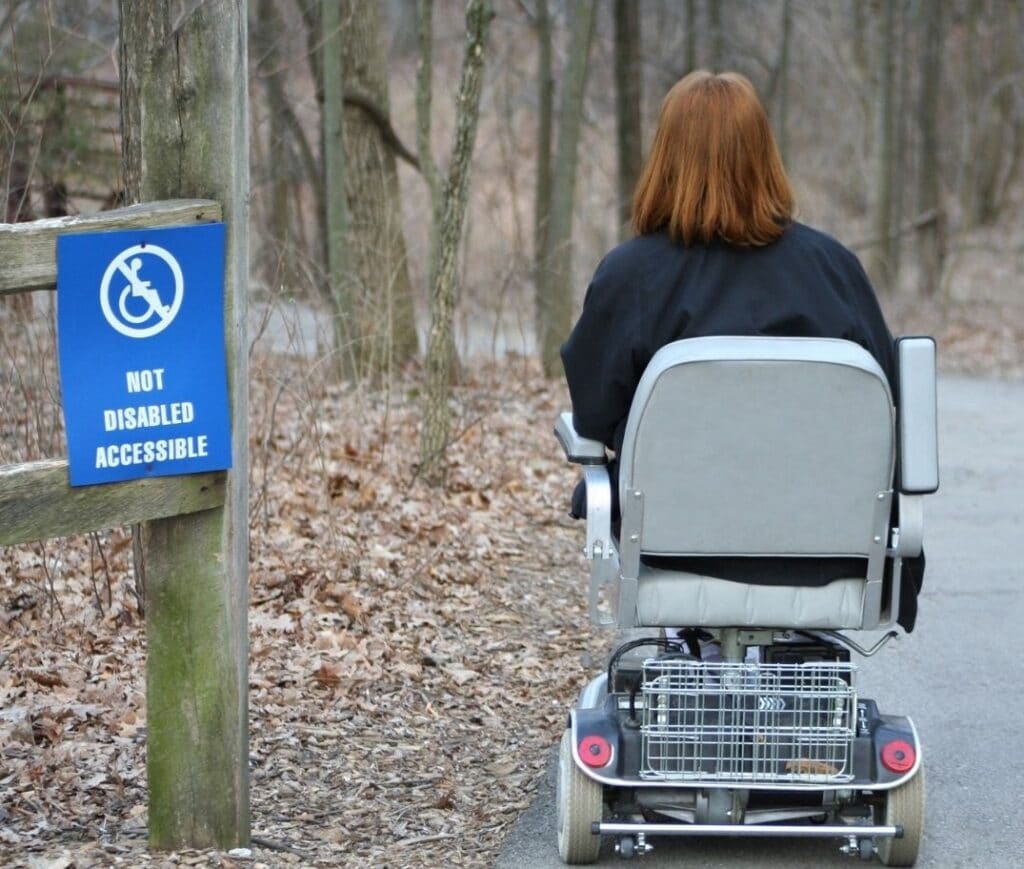
Occupational Therapists are irreplaceable when it comes to advocating for and facilitating change in Accessibility. We are able to successfully analyse an environment in relation to human performance. This analysis helps us to determine specific functional and environmental obstacles. Once we know the accessibility limitations that are hindering function; how do we resolve these obstacles? …4 WAYS!
1. Universal Design 🏗️
2. Environmental Modifications 🏡
3. Assistive Devices ♿
4. Task Modification 💅🏼
At For Good Hope, we are proud to be making a difference in the niche of Assistive Devices. In 2022, I will be furthering my studies by completing a two-part course which will take roughly 1 year. I will be specialising in Accessibility in relation to the Built Environment. My studies will cover Universal Design as well as Environmental Design and Modifications in relation to Accessibility. I am excited to impart my knowledge and experience gained over the next few years, so stay tuned! Follow us on our social media pages here: Facebook and Instagram.
Although, I will be specialising in Accessibility of the Built Environment, I have made it my personal goal to gain experience and knowledge in Accessibility on the Web as well. I have, therefore, tried my best to make the For Good Hope Website as Accessible as possible. Please see our Accessibility Statement below:
Accessibility Statement
This website has been developed with accessibility features in mind in order to provide a better user experience for all. We have closely followed the Seven Principles of Universal Design as well as Accessibility Best Practices. We would like to highlight the following accessibility features:
Skip Navigation
For keyboard and screen reader users it can be frustrating to get to the main content of a page as one would need to tab through navigation links on each page. By implementing a “Skip Link”, users can skip these elements and jump straight into the content. This is the first link on at the top of the header on all pages. Even though it has been kept invisible, it will be detected by screen readers. If you are not using a keyboard or screen reader but would like to utilise this feature, click the “Tab” button on your keyboard when a new page is opened, a link will appear in the header, then click “Enter”.
Search Function
A search function is provided in the Header and links to all core areas of the site. Pages can also be accessed from the Main Menu in the Header as well as in the links at the Footer.
Contrast
We have ensured that we provide enough contrast between text and its background so that it can be read by people with moderately low vision (who do not use contrast-enhancing assistive technology). We have also, added a tool to enhance contrast when necessary. This is located in the Accessibility Toolbar, at the Footer of the Website.
Zoom/ Font Size
Using, your web browser’s built-in zoom you can expand text size making it easier to read. In Firefox or Chrome, you may use the “Control –” and “Control +” shortcuts to decrease or increase the text size, accordingly. We have also added a tool that lets you increase font size. This is located in the Accessibility Toolbar, at the Footer of the Website.
Alt Text
Unless an image is purely decorative, all images contain Alt Text. Alt Text refers to an invisible description of images which are read aloud to users on a Screen Reader. We use images because they make content more pleasant and easier to understand for many people; more so for those with cognitive and learning disabilities. However, those using Screen Readers can also benefit from images on a page through the use of Alt Text.
Keyboard Users
All navigation and core functionality of the site is accessible to Keyboard Users on desktop.
You must be logged in to post a comment.